
Subscribe to discover Om’s fresh perspectives on the present and future.

It is the new Apple computers review day — as you can see from the top of Techmeme, which is dominated by the reviews of Apple’s new Mac Studio and MacBook Air models. While Mac Studio is garnering significant attention, the M4 MacBook Air is likely more relevant to everyday users. The new Air offers increased computing power at a lower price point. Apple sent me a 15-inch, maxed-out version of the machine for review. (Jason Snell at Six Colors has a comprehensive review worth reading.)
I can’t properly review a machine in 72 hours. After all, I typically take a year to form an initial opinion on a camera. However, the M4 MacBook Air is different. If someone asked for my recommendation today, I wouldn’t hesitate: If you want a Mac, get the M4 MacBook Air. Your personal preferences and budget should guide your choice between the 13-inch or 15-inch model.
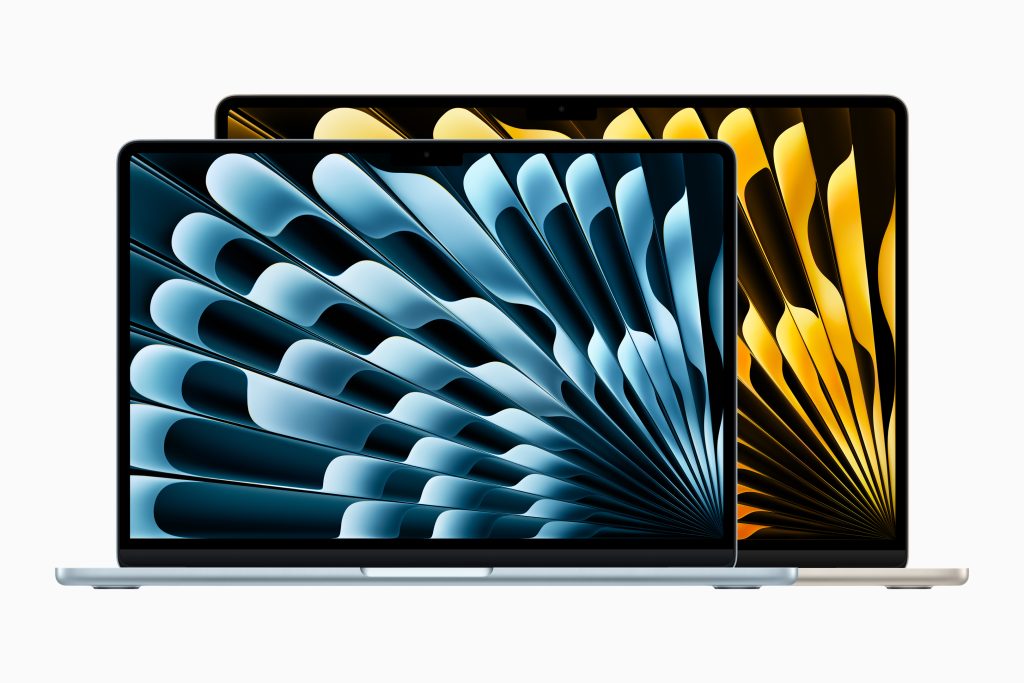
Apple sent me a new pale-blue (or is it really blue) version of the M4 Air. The color is striking – I’ve always been partial to blue, even down to my shoes. This particular shade won me over immediately. I decided to set up the Air as a brand new machine instead of porting my old machine, downloading only a dozen apps: Arc Browser, Adobe Lightroom, Adobe Photoshop, Google Drive, Telegram, Zoom, Microsoft Word, Marsedit, ChatGPT, Claude, Quill Desktop, and MacWhisper. The rest of my work is done online — in a browser.
With artificial intelligence (AI) becoming a dominant part of my workflow, I expect to add more AI-native apps in the near future. I’ll have the machine for about four weeks and plan to use it as my primary computer during that time. This extended use should help me form a more comprehensive opinion of the Air.
The Air has performed flawlessly. Basic tasks like email management, document creation, and research using Claude were seamless. MacWhisper operated smoothly as well. I edited a photo from a 100-megapixel Hasselblad camera, working with about a dozen layers in Photoshop — my typical work flow. The M4 Air handled these tasks effortlessly. I haven’t yet tested any AI models or projects on this machine due to time constraints.
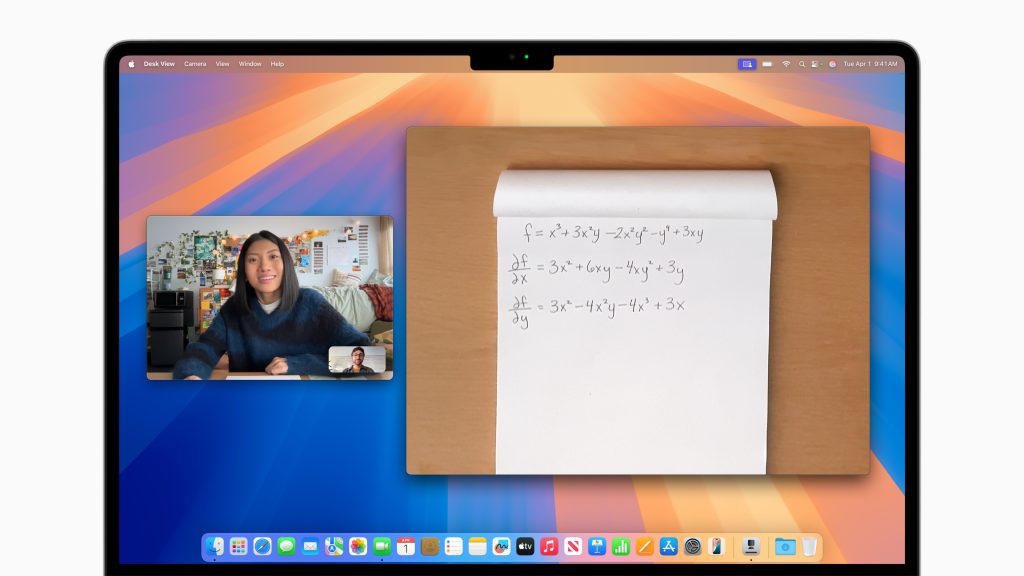
The new MacBook Air features a 12-megapixel ultra-wide camera with Center Stage and Desk View support, matching the quality of other Apple computer cameras. A significant upgrade allows users to connect two external displays simultaneously. While I couldn’t test the dual-monitor functionality, the Air performed seamlessly with my Pro Display XDR. Though I don’t mind the slightly heavier MacBook Pro, I wish it matched the Air’s battery life. Given its capabilities and price point, the new MacBook Air delivers exceptional value.
As for whether I’m buying one, it’s complicated.
I have had a love-and-lost-love affair with the MacBook Air. When I was convalescing from my heart surgery back in 2008 2003, I bought one and fell in love with its smooth curves and its potential as a beacon for the future of mobile laptops. For me, the MacBook Air’s trajectory is a good way to understand Apple’s Vision Pro, another one of its too-early-to-market devices that is compelling.
I have owned many models since then, but I stopped buying new ones a decade ago. For my intensive computing needs, I opted for the MacBook Pro. It offered more capability for my work as a writer, photographer, and over-communicator. I preferred the higher-end specifications. Since Apple Silicon’s introduction, I’ve upgraded to a new model every two years. As I’ve written before, the 14-inch MacBook Pro is my “Goldilocks” machine – just right for my needs.
For years, I’ve been drawn to the MacBook Air. Among Apple’s products, the MacBook Air has benefited most from Apple Silicon (the M-series chips). I’ve evaluated the past three MacBook Air releases, and each iteration has impressed me with its capabilities packed into such a slim profile. After testing the M1, M2, and M3 versions of the MacBook Air, I’ve noticed a pattern: They consistently outperform the previous generation of MacBook Pros. The M2 Air, for instance, surpassed my M1 Pro, while the M3 Air exceeded my M2 Pro’s capabilities.
I currently use a 14-inch MacBook Pro with an M3 Max chip, 64GB of memory, and 4TB of storage, which meets my needs perfectly. Its display quality surpasses the Air’s, and it offers superior video and audio capabilities. Though it weighs slightly more than the 15-inch MacBook Air, the difference is minimal. I regularly experiment with various artificial intelligence applications, and the M3 Max handles these tasks efficiently. Seventeen months after purchase, my current machine continues to perform well, and I don’t feel compelled to upgrade. When I’m ready to invest in a new computer, I’ll likely choose another Pro model. Still, the new M4 Air presents a tempting alternative.
Bottomline: If you have a really old computer, say an M1 Air, or if you want to switch to the Apple Mac, the M4 Air will be a good option. If you have a M2 or M3 Air, it will depend on your desire for the new camera, and machine’s ability to power two displays.
March 11, 2025. San Francisco
Comments are closed.
Amazing post as always, I might indeed upgrade from my M1 MacBook Air to this new fancy machine.
Just wanted to point out that the MacBook Air came out in 2008, I assume your heart surgery recovery was in 2013?
Kind regards
The heart surgery was in 2007 and I bought the first MacBook Air in 2008. I had erroneously listed the date as 2003. I have fixed since. Thank you for spotting it.
As much as I really like the M4 MBA, I’m still an iPad person at heart. I’m seriously eyeing the 13″ M3 iPad Air.
My iPad usage has gone down drastically due to Vision Pro and also due to the fact I work from home more often now.